Building a Go Desktop App: Weather Tray Icon with Wails v3
Diving deeper into Go with Wails v3 to build a cross-platform weather app that lives in your system tray. From CLI tools to dynamic icons, here's the messy, exciting journey of learning by doing.
Alright, let’s talk about this wild ride I just went on. I’ve built desktop apps before - deep dives with Electron at Telavox, even shipped Fakering with Go and Wails. I’ve dabbled in Go too, built that CLI tool for scaffolding Wails apps. But this weather app project was about diving deeper into Go’s desktop capabilities with Wails v3. I decided it was time to actually do something more substantial with Go instead of just watching tutorials. You know that feeling? When you’ve consumed enough content to fill a library, but your hands are still itching to build?
So I started working on this CLI tool called create-wails-app - an interactive scaffold for Wails desktop apps. But here’s the thing: to really test it, I needed to build an app with it. And learn more Go in the process. Enter: a weather app that sits in your system tray.
Why a Weather App? (Spoiler: It Wasn’t Planned)
I wasn’t dreaming of weather widgets. I just needed a project that would force me to:
- Learn Go basics (beyond hello world)
- Figure out Wails v3 (this shiny new framework)
- Build something cross-platform
- Actually ship it
Weather seemed perfect. It’s got APIs, data fetching, UI updates - all the real-world stuff without getting too complex. Plus, who doesn’t want current temps in their tray?
But oh boy, did I underestimate the tray icon part.
The Tray Icon Nightmare (And How I Fixed It)
Remember when I said “dynamic icons showing the weather”? Yeah, that sounded simple. Just draw some text on an image, right?
Wrong.
Go’s image libraries are powerful but… different. I spent hours wrestling with golang.org/x/image and github.com/golang/freetype/truetype. The math for positioning text? Centering it properly? Making it readable at 16x16 pixels?
It was like trying to write poetry on a postage stamp.
// This took way too many iterations
func generateTrayIcon(temp string) []byte {
    // Create image, load font, calculate bounds...
    // (actual code would be embarrassing)
}
The breakthrough? Simplicity. I didn’t need a full weather forecast in the icon. Just the temperature. Clear, readable, done.
API Magic (The Part That Actually Worked)
On the flip side, working with the weather API was delightful. Open-Meteo is free, no keys, and their geocoding? Pass a city name, get lat/long. Boom.
I built this little flow:
- User types “New York”
- Geocode to coordinates
- Fetch weather data
- Update tray icon
- Refresh every 30 minutes
And it just… worked. No auth headaches, no rate limits hitting me immediately. Pure joy.
Wails v3: The Glue That Made It Possible
Wails feels like the missing link between web dev and desktop. I wrote the backend in Go - all the API calls, icon generation, config management. Then slapped a React frontend on top for the settings window.
The architecture is brilliant:
- Go handles the heavy lifting (files, APIs, system integration)
- Web tech for the UI (because who wants to build native dialogs from scratch?)
- Single binary output
Cross-platform? Check. Windows, Mac, Linux - all from one codebase.
Lessons Learned (The Real Value)
This wasn’t just about shipping an app. It was about breaking through that tutorial paralysis.
What I learned:
- Go’s error handling is actually elegant once you get it
- System tray APIs vary wildly between platforms
- Drawing images programmatically requires thinking like a printer
- Free APIs can be shockingly good
Mistakes made:
- Over-engineering the icon (started with 5-day forecasts, ended with just temp)
- Assuming tray icons were simple (they’re not)
- Not testing on all platforms early
Wins:
- The geocoding surprise - so much easier than expected
- Single instance enforcement (no duplicate apps running)
- Hot config reload (change settings, see updates immediately)
The App Today
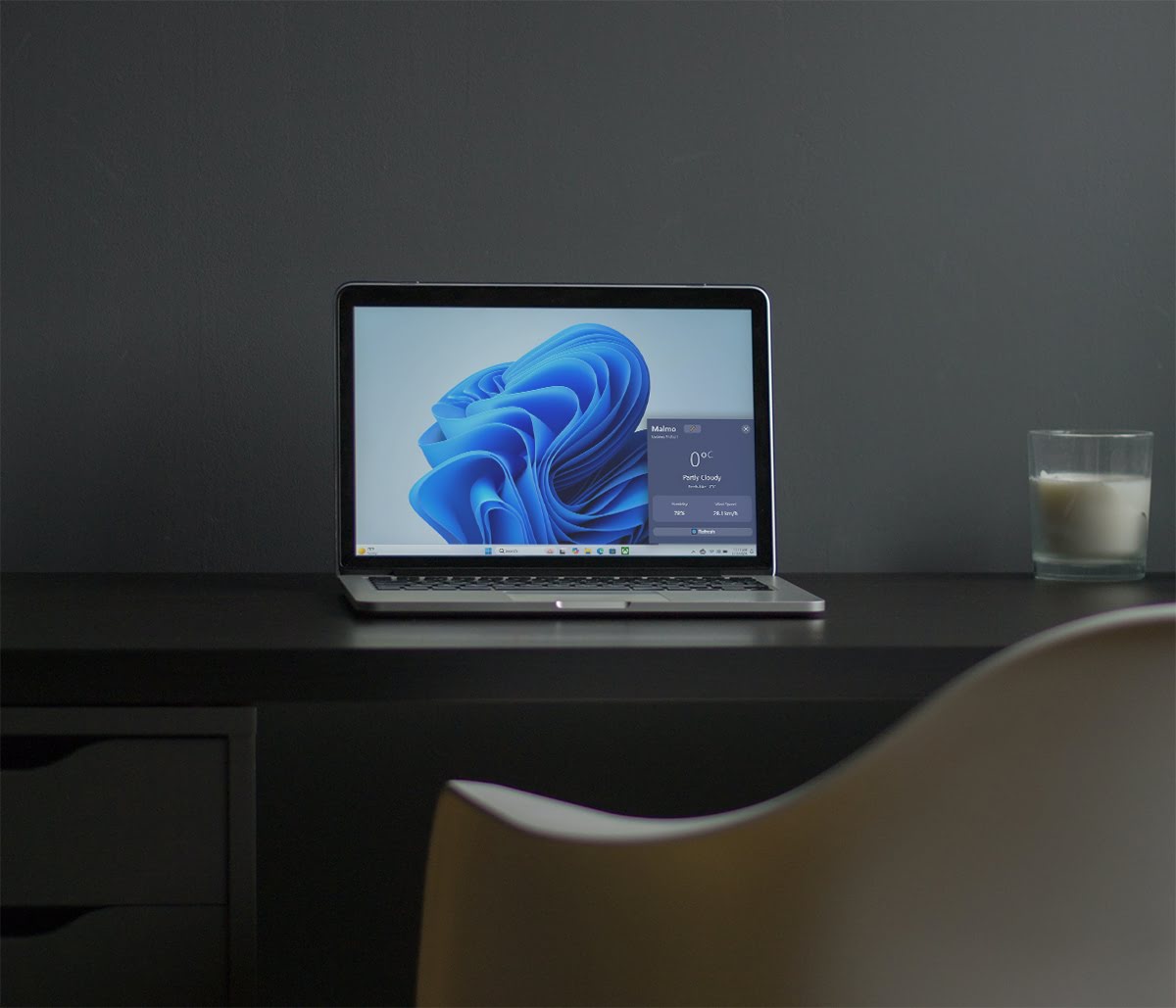
It’s simple. It sits in your tray, shows current temp, updates automatically. Click it for a quick weather window. That’s it.
But it represents something bigger: actually learning by building. Not consuming. Doing.
If you’re stuck in tutorial hell like I was, just pick something small and ship it. The lessons will come.
Try It Yourself
Want to build something similar? The tray icon generation in Go basically creates a small canvas, draws the temperature text centered, and converts it to PNG bytes. Here’s what that looks like conceptually:
func generateTrayIcon(temperature float64) ([]byte, error) {
	// Create a 64x64 image for the tray icon
	size := 64
	img := image.NewRGBA(image.Rect(0, 0, size, size))

	// Fill with a gradient background (blue to purple)
	for y := 0; y < size; y++ {
		for x := 0; x < size; x++ {
			// Calculate gradient
			ratio := float64(y) / float64(size)
			r := uint8(102 + (118-102)*ratio)
			g := uint8(126 + (75-126)*ratio)
			b := uint8(234 + (162-234)*ratio)
			img.Set(x, y, color.RGBA{r, g, b, 255})
		}
	}

	// Draw circular shape to make it look better
	center := size / 2
	radius := size / 2
	for y := 0; y < size; y++ {
		for x := 0; x < size; x++ {
			dx := x - center
			dy := y - center
			if dx*dx+dy*dy > radius*radius {
				img.Set(x, y, color.RGBA{0, 0, 0, 0}) // Transparent outside circle
			}
		}
	}

	// Prepare temperature text
	tempStr := strconv.Itoa(int(temperature)) + "°"

	// Draw text in the center
	point := fixed.Point26_6{
		X: fixed.I(size/2 - len(tempStr)*3),
		Y: fixed.I(size/2 + 7),
	}

	d := &font.Drawer{
		Dst:  img,
		Src:  image.NewUniform(color.RGBA{255, 255, 255, 255}),
		Face: basicfont.Face7x13,
		Dot:  point,
	}
	d.DrawString(tempStr)

	// Convert to PNG bytes
	var buf bytes.Buffer
	err := png.Encode(&buf, img)
	if err != nil {
		return nil, err
	}

	return buf.Bytes(), nil
}
The real magic happens in getting the font metrics right for crisp, readable text at small sizes.
What’s your next “just build it” project? I’d love to hear about it.